This command line file manager provides a user-friendly interface that avoids the long-winded statements of Commodore BASIC and the cryptic symbols of DOS wedges. Every command is easy to read and quick to type (the longest is 8 characters). It also offers three different ways to see what's on the disk, two commands to help you learn how to use the program and a choice of black or white backgrounds. It even alerts you to a common warning sign of data corruption and how to fix it.
Before we get to the list of features, here's a few things that the program doesn't do.
Sorry to disappoint the power users, but here comes the good news.
Let's begin with the obvious ones first. You can copy, rename and scratch (i.e. delete) files. You can also format, initialise and validate the disk.
One of the more advanced features of Midlife Shell 1541 is the ability to access disk directories while the program is running, so you can manage as many disks as you like in a single session by swapping them in and out of the disk drive and entering the readir command. The same command also compares the free block count between the directory's file entries and the block availability map (also known as the BAM). You will see a warning when a discrepancy is found, which indicates data corruption on the disk.
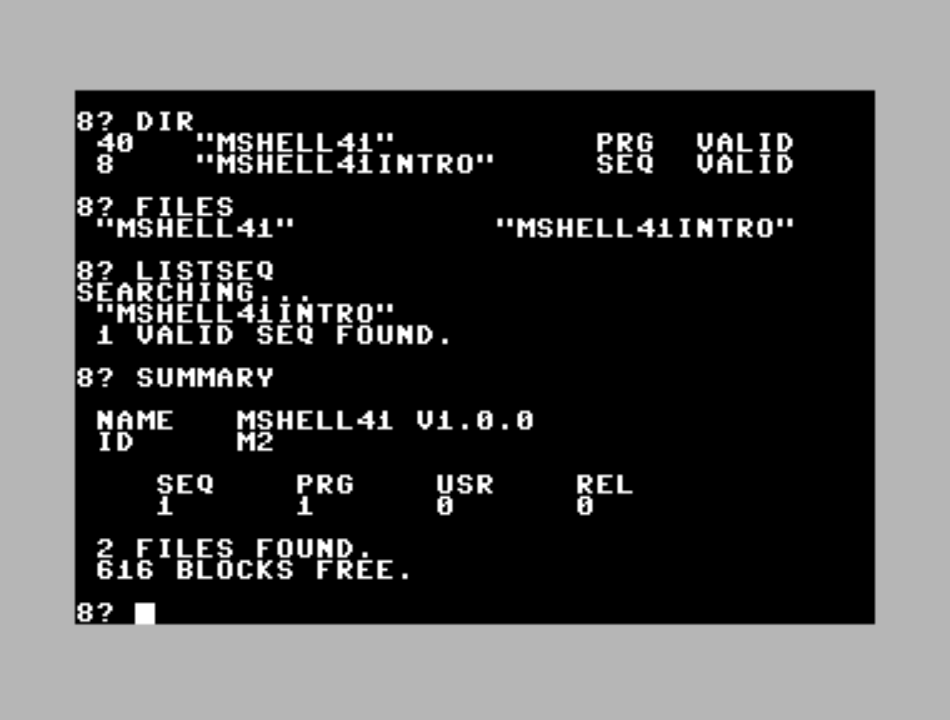
As expected, you can see a directory table that displays the file size, name and type, but it also displays the file status with greater clarity than the standard directory listing (e.g. no more asterisks representing 'splat' files; if a file is invalid, it will tell you). In addition to the familiar directory table, Midlife Shell 1541 offers two methods of viewing disk information. If you just want to see the file names, then enter the files command: it displays a two-column list, so you can see twice as many files at once on the screen. If you just want to know how many files there are and how much disk space is available, then there's the summary command.
Readseq is the built-in sequential file reader that asks you in advance if the character set should be uppercase or lowercase. You can get a specific two-column list of sequential files with the listseq command.
All of the file listing and reading features described above will automatically pause their output every 22 rows, giving you as much reading time as you want. You decide when the scrolling continues. If you've seen enough of the list or sequential file before it's finished, then you can press return at the pause to stop the process early.
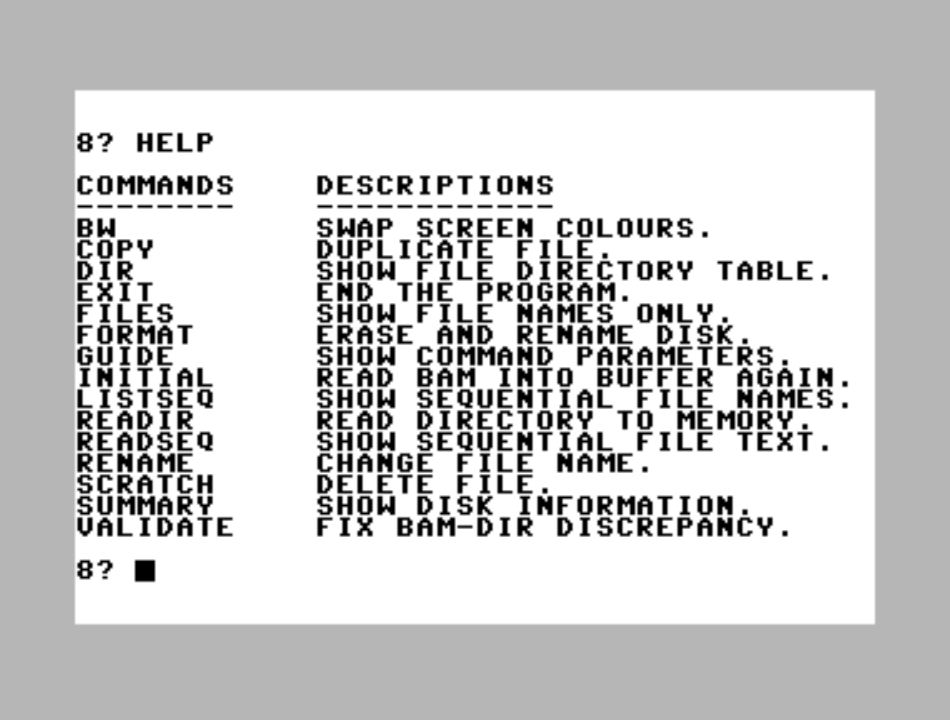
If you need a reminder of how to use the program, then there are two quick reference commands (one for command descriptions, the other for command parameters) and an optional introduction when the program starts (it's important to read the introduction at least once before entering commands).
When you enter command parameters (e.g. the name of the file you want to copy), they go through preemptive parsing and comparison to prevent disk access when input errors are found (e.g. when the file name is too long or contains troublesome characters). It also prevents a few cases that can cause bigger problems later (e.g. deleting a 'splat' file).
Finally, you can swap the foreground and background colours at any time on the command line, giving you a choice between dark or light screen displays.
Commodore 64 computer with a Commodore 1541 series disk drive. The drive can be set to any device number between 8 and 11 inclusive.
Additional tools are needed to store the program on a physical floppy disk. This program is not suitable for datasettes or tape images.
Do not use this program on TheC64 Mini or TheC64 from Retro Games. There appears to be a buffering issue when swapping disk images after file operations.
Apart from that, the program was tested successfully on the Linux version of VICE 3.4, so it should work on the most accurate and up-to-date emulators. However, you must ensure that accurate disk emulation is enabled (also known as true drive emulation in VICE). Disk images that comply with the 1541 standard are typically labelled with the d64 extension and have an approximate file size of 170k.
This application is freeware. You are permitted to distribute the unmodified disk image available here free of charge. You are not permitted to sell copies of the software.
Midlife Shell 1541 v1.0.0 (.d64 disk image; 170.8k)
Copyright 2026 Nicholas Menchise